You’re building an online store in the Philippines, and you’ve narrowed your payment gateway choices down to two giants: PayMongo and PayMaya. Smart move. But which one actually deserves your business?
This decision isn’t just about accepting payments. It’s about transaction costs eating into your margins, integration headaches delaying your launch, and customer experience making or breaking your conversion rates. Understanding the nuances between PayMongo and PayMaya is a critical component of Payment Gateway Integration API for Philippine E-Commerce Sites 2025, and I’m going to walk you through everything that matters for 2026 and beyond.
Let me cut through the marketing fluff and show you the real differences.
Table of Contents
ToggleQuick Answer: PayMongo is a developer-focused payment gateway designed specifically for online businesses and API integration, while PayMaya (now fully rebranded as Maya) operates as both a consumer wallet app and a merchant payment solution with stronger offline presence through QR code payments.
PayMongo positions itself as the modern payment infrastructure for internet businesses. Think Stripe, but built for the Philippine market. Their entire platform revolves around clean API documentation, seamless e-commerce integrations, and digital-first payment acceptance.
PayMaya, on the other hand, started as a consumer e-wallet and expanded into merchant services. This dual identity gives them massive consumer adoption (millions of Filipinos already have the app installed), but their merchant tools feel like an add-on rather than the core product.
PayMongo payment methods include:
PayMaya merchant solutions accept:
The critical difference? PayMongo offers broader e-wallet integration out of the box. If you want to accept GCash through PayMaya, you’re looking at separate arrangements. The paymongo api gcash integration is native and straightforward.
The paymongo docs are genuinely impressive. I’ve integrated dozens of payment gateways, and PayMongo’s documentation ranks among the clearest I’ve encountered. You get:
The paymongo dashboard login gives you real-time transaction monitoring, refund management, and settlement tracking. Everything feels purpose-built for developers who want to ship fast.
PayMaya’s API exists, but it feels like an afterthought. The documentation is functional but lacks the polish and examples that make integration smooth. You’ll spend more time troubleshooting and reading between the lines.
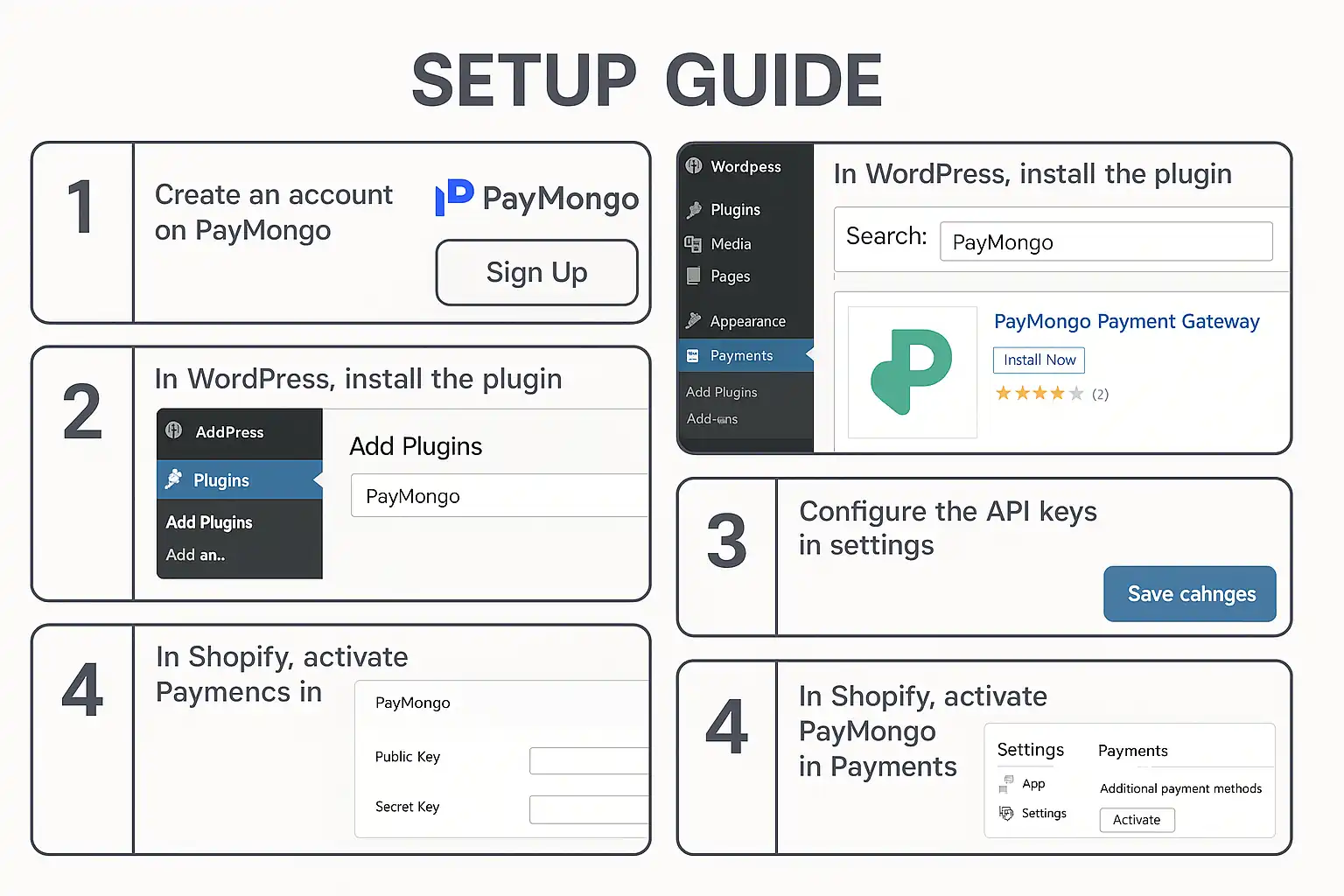
Their checkout experience works, but customization options are limited compared to paymongo checkout flexibility. If you’re running WordPress or Shopify, you might find better support with PayMongo Payment Gateway WordPress Shopify Setup Guide.
The paymongo transaction fee structure is transparent and competitive:
The paymongo fees are clearly listed in your paymongo dashboard login area, with no hidden charges. The paymongo rates remain consistent whether you’re processing 10 or 10,000 transactions monthly.
PayMaya’s fee structure varies significantly based on your business type, transaction volume, and negotiated terms. Generally:
The lack of transparent, published rates means you’ll need to contact their sales team and negotiate. This works well for large enterprises but frustrates small businesses wanting clarity.
For a broader cost comparison across multiple providers, check out PayMongo vs Xendit: Which Saves You More Money?.
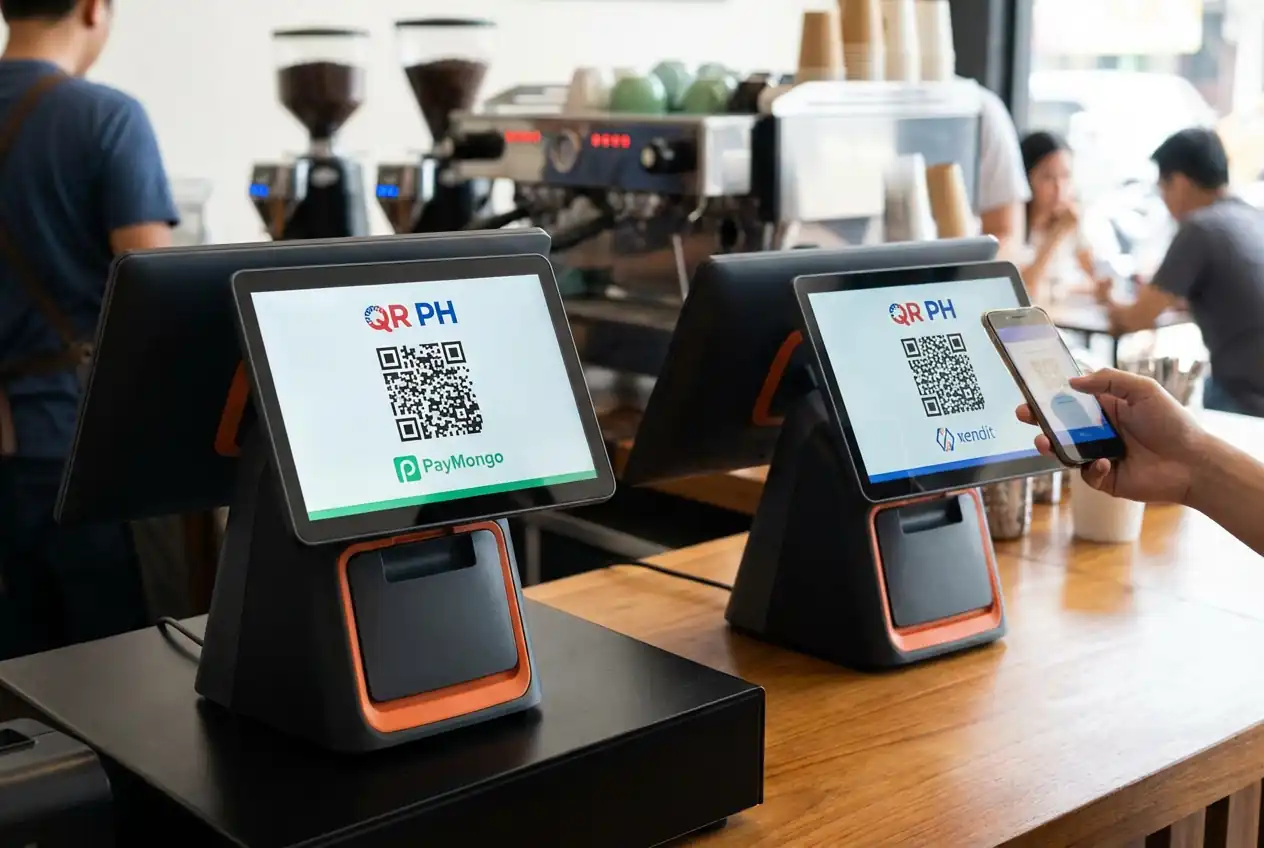
The paymongo qr code feature (paymongo qr ph) generates dynamic QR codes for each transaction. This works beautifully for:
The QR codes link directly to your paymongo payment gateway, supporting multiple payment methods through a single scan. Integration happens through the paymongo api, giving you full control over the payment flow.
PayMaya’s QR code solution has stronger consumer recognition. When customers see a PayMaya QR code, they immediately know they can scan it with their PayMaya app. You can find a paymaya qr code sample in their merchant portal.
The limitation? It primarily works within the PayMaya ecosystem. Customers need the PayMaya app installed and funded. This creates friction for users who prefer other e-wallets.
The QR PH Payment Method PayMongo Xendit Payment Gateway guide explores this standardized approach in detail.
The paymongo subscription system handles recurring payments elegantly:
This makes PayMongo ideal for SaaS businesses, membership sites, online courses, and any business model requiring predictable recurring revenue.
PayMaya offers recurring payment functionality, but it requires more manual setup and monitoring. The automation isn’t as sophisticated, and you’ll likely need to build more custom logic around failed payment handling and customer communication.
The paymongo help center provides:
Response times typically range from a few hours to one business day for technical questions. Critical issues get escalated quickly.
PayMaya customer service operates through:
The challenge? Support quality varies significantly. Consumer wallet issues get faster attention than merchant technical problems. Expect longer resolution times for complex integration questions.
Setting up a paymongo payment inc account requires:
Approval typically takes 2-5 business days. You can start building with paymongo test cards immediately while waiting for approval. The onboarding process has been streamlined significantly in 2026.
Creating a paymaya business account involves:
The process can take 1-2 weeks, sometimes longer if documentation issues arise. You’ll receive your paymaya account number and merchant credentials after approval.
Your paymongo dashboard login gives you:
The interface is clean, fast, and built for daily operational use. Mobile app support makes monitoring on-the-go seamless.
The paymaya transaction history provides basic reporting:
The reporting feels dated compared to modern fintech dashboards. You’ll likely need to build your own analytics layer for deeper insights.
Choose PayMongo if you:
Choose PayMaya if you:
For many modern e-commerce businesses in 2026, the paymongo vs paymaya question increasingly favors PayMongo. The developer experience, transparent pricing, and digital-first approach align better with how online businesses operate today.
But context matters. A restaurant chain with dine-in customers might benefit more from PayMaya’s consumer wallet penetration. An online subscription box service will find PayMongo’s recurring billing invaluable.
Your choice between paymongo integration and PayMaya also depends on your e-commerce platform. If you’re still deciding between building your own store versus using a marketplace, the E-Commerce Platform vs Marketplace Complete 2025 Guide provides essential context.
For WordPress/WooCommerce users, the paymongo woocommerce plugin offers native integration with automatic updates and support. PayMaya requires more custom development work or third-party plugins.
Shopify users will find both platforms offer apps, but PayMongo’s integration feels more polished and maintains better feature parity with their API capabilities.
After comparing every meaningful dimension, PayMongo emerges as the stronger choice for most digital-first businesses in the Philippines. The combination of developer-friendly tools, transparent pricing, comprehensive payment method support, and modern infrastructure makes it the payment gateway built for how commerce actually works in 2026.
PayMongo’s continuous innovation throughout 2025 and into 2026 has widened the gap. Features like enhanced fraud detection, improved subscription management, and better international payment support make it the clear winner for growth-oriented businesses.
PayMaya remains relevant for businesses with strong offline components or those specifically targeting the PayMaya wallet user base. But for pure e-commerce operations, SaaS platforms, and businesses prioritizing growth through digital channels, PayMongo delivers superior value.
The payment gateway you choose becomes part of your business infrastructure for years. Choose the one built for where your business is going, not where it’s been.
PayMongo is a developer-focused payment gateway designed specifically for online businesses with robust API integration, while PayMaya operates as both a consumer wallet app and merchant payment solution with stronger offline presence through QR code payments and over-the-counter options.
PayMongo publishes transparent, fixed-rate fees for all transaction types, while PayMaya’s fees vary based on business type and require negotiation. For most small to medium online businesses, PayMongo’s published rates are competitive and easier to budget around, though large enterprises may negotiate better rates with PayMaya.
Yes, but implementation differs significantly. PayMongo offers native GCash integration through their API (paymongo api gcash), making it straightforward to add as a payment option. PayMaya requires separate arrangements or additional integration work to accept GCash, as they primarily push their own wallet ecosystem.
PayMongo provides significantly superior API documentation with clear examples, comprehensive test cards, webhook guides, and active developer support. PayMaya’s API documentation exists but lacks the depth, examples, and polish that developers need for smooth integration, often requiring more troubleshooting time.
PayMaya has advantages for businesses with significant offline presence due to their widespread consumer wallet adoption and established QR code payment infrastructure. However, PayMongo’s QR PH implementation also supports in-store payments effectively, so the advantage depends on whether your customers already use PayMaya wallets regularly versus needing multi-wallet support.
Professional
Expert web development services to grow your business online
Custom website development
Launch a powerful online store
Increase your visibility on search engines
Lightning-fast loading speeds
Protect your digital investment
Learn how QR PH payment works for Philippine e-commerce. Compare PayMongo QR PH vs Xendit QR PH APIs, integration steps, and accepted merchants in 2026.
Explore 50+ bit form features including drag & drop, conditional logic, multi-step forms, analytics, and integrations. Master bitform WordPress plugin capabilities.
Master form conditional logic in WordPress with Bit Form. Learn how to create smart, dynamic forms using drag-drop builders and conditional rules step-by-step.
Learn Bit Form WordPress plugin inside out. Create contact forms, multi-step applications & surveys. Expert tips for conditional logic & styling.
Guide to integrating PayMongo payment gateway with WordPress and Shopify. Learn about GCash, fees, webhooks, test cards, and developer tools.
Compare PayMongo vs Xendit for your Philippine online store. Discover fees, features, integration options, and which payment gateway fits your business needs.

At KS Code, we specialize in crafting high-performing, visually stunning websites tailored to your business needs. From responsive designs to powerful e-commerce solutions, our goal is to help you stand out, engage users, and drive results online.